
🔄 Rotate PDF
Reading a sideways or upside-down PDF can quickly become frustrating, especially when working with important files. Scanned assignments, office reports, invoices, forms, and eBooks are often saved in the wrong direction because of scanner settings or mobile camera positioning. A reliable rotate PDF tool can instantly correct page alignment without requiring advanced editing software or complicated setup.
A modern online PDF editor gives users a fast and convenient way to adjust document orientation directly from a browser. Instead of reinstalling software or rescanning documents, users can upload files, rotate pages, and download corrected PDFs within seconds. This makes online PDF editing useful for students, teachers, office employees, freelancers, and businesses that work with digital files daily. Many users prefer a rotate PDF service because it works quickly on both desktop and mobile devices.
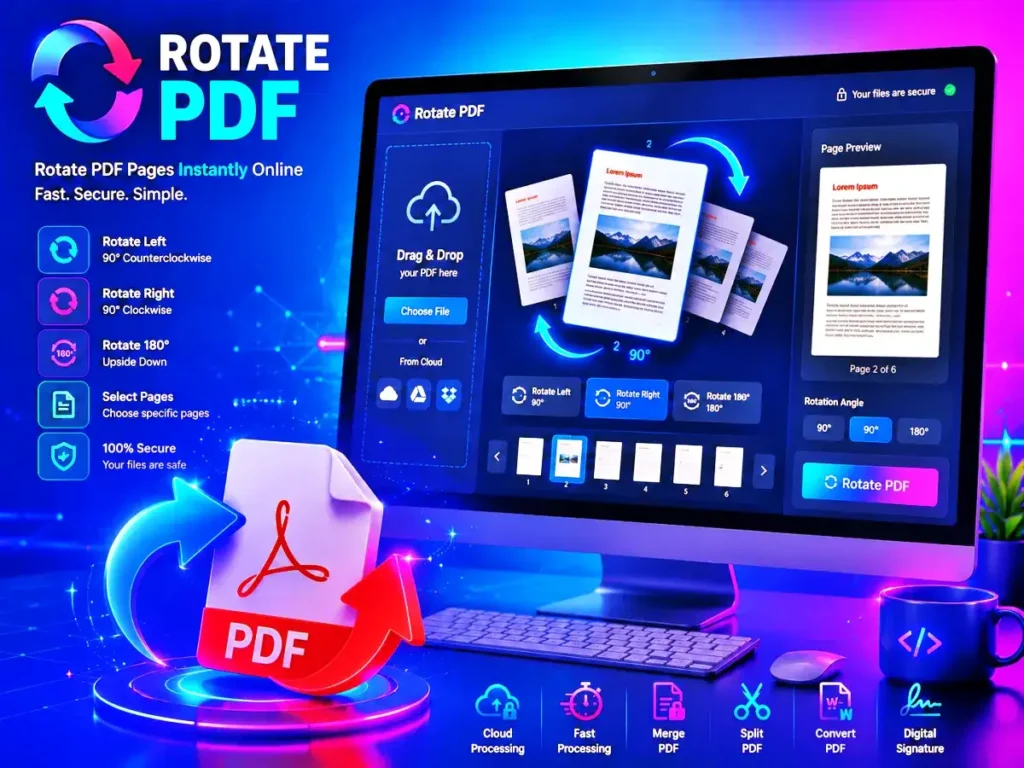
What Is Rotating a PDF?
Rotate PDF is an online feature that allows users to change the direction of PDF pages. Users can rotate pages clockwise, counterclockwise, or upside down depending on the document layout and viewing needs.
Most online tools support multiple rotation angles, including the following:
- 90 degrees clockwise
- 90 degrees counterclockwise
- 180-degree rotation
This allows users to correct scanning mistakes and improve readability quickly. A quality rotate PDF tool also helps users prepare files for printing and presentations.
Unlike traditional desktop editing software, browser-based PDF tools are lightweight and simple to use. Everything works online, so there is no need for installation or technical setup. This is one reason why Rotate PDF platforms continue to grow in popularity.
Why People Use PDF Rotation Tools
Incorrect document orientation is a common issue. Many files become difficult to read because they were scanned or exported incorrectly. A PDF rotation tool improves presentation and makes documents easier to manage.
Here are some common situations where these tools are helpful:
- Fixing scanned documents
- Correcting sideways pages
- Preparing files for printing
- Improving readability
- Organizing reports and forms
- Editing study materials
- Managing business documents
- Adjusting presentation layouts
Using an online page rotation tool saves time and avoids the need for complicated software. Many professionals now rely on Rotate PDF services for daily document handling.
Features of a Modern PDF Rotation Web App
Most modern online tools include several features designed to improve speed, usability, and document handling.
Instant Page Adjustment
Users can correct page direction with just a few clicks. The editing process is usually completed within seconds. A fast rotate PDF system improves workflow efficiency.
Multiple Rotation Options
Good PDF editing tools allow users to rotate pages in different directions depending on the file orientation. Advanced rotate PDF platforms support both single-page and full-document rotation.
Select Individual Pages
Instead of changing the entire document, users can adjust only selected pages. This makes a rotate PDF web app more flexible and convenient.
Browser-Based Access
Everything works online through a web browser. No extra software installation is required. A browser-based rotate PDF tool works across multiple devices.
Mobile Compatibility
Most PDF rotation tools are optimized for smartphones, tablets, laptops, and desktop devices. Mobile-friendly rotate PDF features help users edit files anywhere.
Secure File Handling
Trusted platforms automatically delete uploaded files after processing to protect privacy and sensitive information. Secure rotate PDF tools are important for business and personal use.
Benefits of Using Online PDF Editing Tools
Online document tools have become increasingly popular because they are faster and easier to use than traditional desktop programs.
Faster Workflow
Users can correct file orientation almost immediately without learning complex software. A reliable rotate PDF tool saves valuable time.
Beginner-Friendly Interface
Most web apps use drag-and-drop upload systems and simple controls that are easy for anyone to understand. Even beginners can use a Rotate PDF platform without technical knowledge.
Works Across Devices
Online document tools function smoothly on Windows, macOS, Android, and iPhone devices. Cross-platform compatibility makes Rotate PDF tools more useful.
No Installation Required
Everything runs directly in the browser, making document editing more convenient for everyday use. Online PDF rotation services reduce storage usage on devices.
Better Document Presentation
Properly aligned pages improve professionalism and readability. Businesses often use rotate PDF tools before sharing important documents.
How to Rotate PDF Pages Online
Most online tools follow a simple process that takes less than a minute.
Step 1: Upload Your File
Choose the PDF from your device or drag it into the upload area.
Step 2: Choose Rotation Direction
Use the controls to rotate pages left, right, or upside down. A simple rotate PDF interface makes editing easier.
Step 3: Apply Changes
Adjust selected pages or rotate the complete document.
Step 4: Download the Corrected File
Save the updated PDF back to your device.
The process is fast, simple, and suitable for users of all skill levels. Most users prefer rotate PDF tools because they require no software installation.
Who Uses PDF Rotation Tools?
Many different users rely on PDF editing tools for daily tasks.
Students
Students often scan homework, projects, and notes using smartphones. These tools make files easier to read and submit. A quick Rotate PDF feature helps students organize assignments.
Teachers
Teachers regularly share worksheets, assignments, and educational material in PDF format. Proper orientation improves readability for students.
Office Employees
Businesses use document editing tools to organize contracts, invoices, reports, and presentations professionally. Many offices depend on Rotate PDF tools every day.
Freelancers
Designers, consultants, writers, and marketers frequently edit digital documents quickly using online services.
Companies and Organizations
Organizations use browser-based PDF tools to improve document management and streamline workflows. Enterprise users often choose secure rotate PDF platforms.
Why Proper Page Orientation Matters
Document formatting affects readability and presentation quality. Sideways pages create confusion and reduce professionalism.
Correctly aligned documents provide several advantages:
- Easier reading
- Faster document review
- Better printing results
- Improved presentation quality
- More professional appearance
A reliable page rotation solution improves the overall user experience. Many businesses now include rotate PDF tools in their document workflow systems.
Online PDF Tools vs Desktop Software
Desktop editing programs can be powerful, but they are often expensive and difficult for beginners. Online document tools provide a simpler alternative for quick fixes.
| Feature | Online PDF Tool | Desktop Software |
| Easy to Use | Yes | Sometimes Complex |
| Installation Needed | No | Yes |
| Mobile-Friendly | Yes | Limited |
| Fast Editing | Yes | Depends on Device |
| Free Access | Often Free | Usually Paid |
For quick page adjustments, browser-based solutions are usually the more convenient option. A lightweight rotate PDF service is ideal for quick editing tasks.
Security and Privacy
Privacy is important when uploading personal or business files online. Reliable platforms use secure encryption and automatic file deletion systems.
Before using any online PDF editor, users should check for:
- HTTPS secure connection
- Privacy protection policies
- Automatic file deletion
- Trusted reputation
Using a secure platform helps protect confidential information. Professional rotate PDF websites usually offer encrypted file processing.
Common Problems Solved by PDF Rotation Tools
Page alignment issues happen frequently during scanning, exporting, or printing. Online tools help correct these problems quickly.
Sideways Scanned Documents
Many scanned pages appear rotated due to incorrect positioning of the scanner. A rotate PDF feature can fix this right away.
Upside-Down Pages
Phone camera scans sometimes save in the wrong direction. Online editing tools solve this issue easily.
Mixed Page Layouts
Some documents have both portrait and landscape pages, which need to be treated separately. Mixed layouts can be efficiently handled with flexible rotate PDF tools.
Printing Issues
Incorrect orientation can waste paper and ink during printing. Proper page alignment improves print quality.
Tips for Better Results
Users can improve editing quality by following a few simple practices.
Check Every Page Before Downloading
Carefully check the updated file before downloading to make sure all pages are properly positioned and the PDF rotation was applied accurately.
Keep a Backup Copy
The original file is preserved to prevent accidental data loss.
Use Trusted Platforms
Reliable websites offer stronger privacy and better file security. A trusted rotate PDF service protects important documents.
Upload Clear Documents
High-quality files maintain readability after editing.
Future of Online PDF Editing
Online PDF tools are becoming more advanced with improved cloud processing and intelligent automation. Many modern web applications now offer useful features like file compression, PDF merging, page splitting, format conversion, and secure digital signatures.
Future improvements may include:
- AI-powered page detection
- Smarter document organization
- Faster processing speeds
- Advanced mobile optimization
- Improved cloud integration
As digital documents become more common, online PDF tools will continue growing in popularity. Demand for fast rotate PDF services is also expected to increase.
Short Description
A rotate PDF web app helps users quickly fix sideways or upside-down PDF documents directly from a browser. It improves readability, supports mobile devices, protects file privacy, and works without software installation.
FAQs
What is Rotate PDF?
Rotate PDF is an online feature that changes the orientation of PDF pages so documents can be viewed and printed correctly.
Can PDF rotation tools adjust only one page?
Yes. Most online tools allow users to select individual pages instead of changing the entire document. A flexible rotate PDF feature makes this process simple.
Is it safe to upload private documents online?
Trusted websites use secure encryption and automatic deletion systems to protect uploaded files and user privacy.
Do PDF rotation tools work on mobile phones?
Yes. Most modern web apps are fully responsive and work on Android phones, iPhones, tablets, laptops, and desktops. Mobile support makes Rotate PDF tools more convenient.
Will rotating pages reduce document quality?
No. Properly designed tools only change page orientation while maintaining the original document quality.
Do I need technical skills to use online PDF tools?
No. Most browser-based PDF editors use simple drag-and-drop interfaces that beginners can use easily.
Final Thoughts
Working with incorrectly aligned PDF files can waste time and reduce productivity. A trusted rotate PDF tool provides a fast and efficient way to fix document orientation without downloading software or learning advanced editing programs.
If you need to fix scanned notes, create business reports, organize study materials, or improve print formatting, an online PDF editor is a simple and reliable solution. Fast processing, mobile compatibility, secure file handling, and beginner-friendly controls make these tools useful for almost anyone who works with digital documents. A high-quality rotated PDF platform makes document management easier and more efficient. These tools are quick to process, mobile-friendly, safe to handle files, and easy to use by beginners, which makes them useful for almost anyone who works with digital documents. A good rotated PDF platform will help you manage your documents more easily and efficiently.