
WebP Image Compressor
Compress a single WebP image to reduce file size
Upload WebP Image
Drag & drop your WebP file here
or
Maximum file size: 10MB
Compression Settings
Compression Results
Original Image
Compressed Image
WebP Image Compressor: Smart WebP Image Optimisation for Faster Websites
Image optimisation is now required in the performance-driven online world of today. Large image files have a detrimental impact on search engine rankings, slow down websites, and raise bounce rates. For developers, bloggers, marketers, and website owners who desire visually rich, quick-loading pages without compromising quality, a WebP Image Compressor becomes a crucial solution.
WebP is a modern image format designed to deliver superior compression while maintaining excellent visual clarity. By using a reliable WebP Image Compressor, users can significantly reduce image file sizes, improve website speed, and enhance overall user experience across different devices.
What Is a WebP Image Compressor?
A WebP Image Compressor is an online tool created specifically to reduce the file size of WebP images using advanced compression techniques. Unlike traditional image optimisation tools that support multiple formats, this web app focuses exclusively on WebP, ensuring higher efficiency and more accurate output.
Transparency, animation, and lossy and lossless compression are all supported by WebP. Websites load more quickly when WebP images are properly optimised while maintaining sharpness, colour accuracy, and fine details.
Why WebP Images Matter for Modern Websites
Search engines prioritise fast-loading websites. Large images are often the biggest contributors to slow page speeds. WebP images solve this problem by offering much smaller file sizes compared to PNG and JPEG while maintaining comparable visual quality.
Using a dedicated WebP Image Compressor allows website owners to take full advantage of the WebP format without manual adjustments or technical complexity. Optimised WebP images improve page speed scores, reduce bandwidth usage, and enhance mobile performance.
Key Features of This WebP Image Compression Tool
The WebP Image Compressor is built with simplicity, speed, and performance in mind. Below are its core features:
1. High-Quality Compression
The tool reduces image size while preserving visual integrity. Even after optimisation, images remain sharp and professional.
2. Lossy and Lossless Support
Users can compress WebP images using either lossy or lossless methods, depending on their quality needs.
3. Fast Cloud Processing
Images are processed instantly using secure, high-speed servers, ensuring minimal waiting time.
4. No Quality Trade-Off
This solution ensures that compressed images retain original clarity, colours, and transparency.
5. No Installation Required
The web app works directly in the browser, making it accessible across all devices and operating systems.
How the Compression Process Works
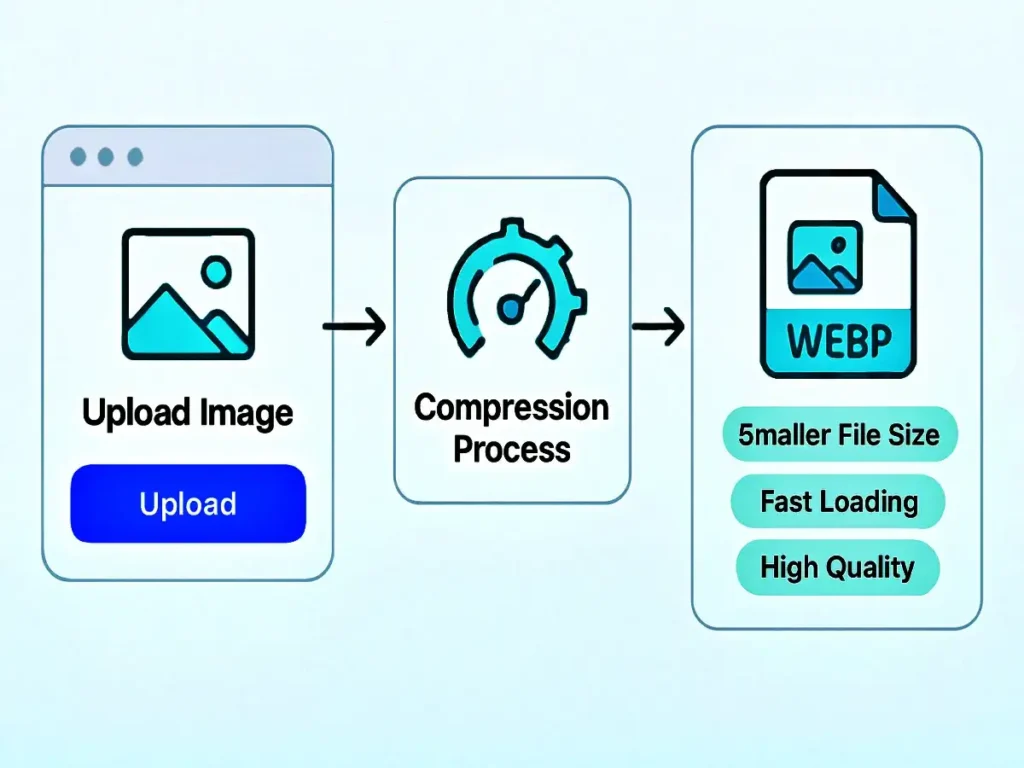
Using the WebP Image Compressor is simple and beginner-friendly:
- Upload your WebP image
- Select the desired compression level
- Let the system process the file
- Download the optimised image
The entire process takes only a few seconds and does not require any technical expertise.
Benefits of Using This Tool
Faster Website Loading
Smaller image files speed up page loads, increasing user retention and engagement.
Better SEO Performance
Google considers page speed an important ranking factor. Optimised images help improve search visibility.
Reduced Bandwidth Usage
Compressed WebP files consume less data, making websites more efficient and cost-effective.
Mobile Optimisation
Mobile users benefit from faster image loading, improving accessibility and usability.
Consistent Visual Quality
A professional image compression solution maintains image clarity even at reduced file sizes.
Who Should Use a WebP Image Compressor?
This tool is ideal for:
- Website owners and bloggers
- SEO professionals
- Web developers and designers
- E-commerce store owners
- Digital marketers
Anyone who regularly works with WebP images can benefit from a dedicated WebP Image Compressor to streamline image optimisation.
Security and Privacy Assurance
All uploaded images are handled securely. The WebP Image Compressor does not store files permanently, ensuring complete privacy and data protection. Once compression is complete, files are automatically removed from the system.
Comparison with Traditional Image Tools
Traditional image compressors often support multiple formats but lack precision for WebP files. A specialised WebP Image Compressor is optimised solely for WebP, delivering better compression results, higher output quality, and faster processing speeds.
This focused approach makes it more effective than generic image optimisation tools.
Why Choose This WebP Image Compressor?
- Dedicated WebP optimisation
- Accurate compression algorithms
- SEO-friendly image output
- Simple and intuitive interface
- Free and accessible online
By using this WebP Image Compressor, users gain full control over image optimisation without compromising performance or visual quality.
Future-Ready Image Optimisation
WebP is rapidly becoming the standard image format for the modern web. Adopting a WebP Image Compressor ensures your website remains future-proof, fast, and competitive in search rankings.
Optimised images contribute to better Core Web Vitals, improved accessibility, and higher overall user satisfaction.
Frequently Asked Questions (FAQ)
What is a WebP Image Compressor used for?
A WebP Image Compressor is used to reduce the file size of WebP images while maintaining high visual quality, helping improve website speed and SEO performance.
Does compressing WebP images reduce quality?
When done correctly, compression does not noticeably reduce quality. A reliable WebP image compressor effectively balances size reduction and image clarity.
Is this tool safe to use online?
Yes, the WebP Image Compressor processes images securely and does not store uploaded files.
Can I use this compressor on mobile devices?
Absolutely. The WebP Image Compressor works seamlessly on all modern browsers, including those on smartphones and tablets.
Is WebP better than JPEG and PNG?
WebP generally offers smaller file sizes with similar or better quality. Using a WebP Image Compressor maximises these advantages.
Does using this tool require technical expertise?
No technical knowledge is required. The WebP Image Compressor is designed for ease of use with a simple upload-and-download workflow.
Final Thoughts
Optimising images is one of the most effective ways to enhance website performance. A dedicated WebP Image Compressor helps unlock the full potential of WebP images by reducing file size, improving load speed, and strengthening SEO rankings.
Whether you manage a blog, business website, or e-commerce store, using a professional WebP Image Compressor is a smart step toward faster, cleaner, and more efficient web pages.