
HEIC to PNG Converter
Convert your HEIC/HEIF images to PNG format quickly and easily. Preserve original image quality with no loss of filename data.
Drop HEIC files here
or click to browse files
Selected Files
Converting…
Conversion Complete
How to use this tool
- Select HEIC files by clicking the upload area or dragging and dropping
- Review selected files – you can see filenames and sizes before conversion
- Click “Convert to PNG” to start the conversion process
- Download your PNG files individually or all at once when conversion is complete
- All original filenames are preserved (with .png extension instead of .heic)
HEIC to PNG Converter: The Complete Guide to Fast, Secure, and High-Quality Image Conversion
In today’s digital world, images play a vital role in websites, applications, social media, and professional documentation. Apple devices commonly use the HEIC image format because it delivers excellent quality with smaller file sizes. However, HEIC files are not universally supported across all platforms, browsers, and editing tools. This is where an HEIC to PNG Converter becomes an essential solution for users who need broad compatibility without sacrificing visual quality.
What Is an HEIC File and Why Convert It?
HEIC (High-Efficiency Image Container) is an image format introduced by Apple to conserve storage space while maintaining sharp visuals. Although efficient, many Windows systems, older Android devices, CMS platforms, and design tools still struggle to open HEIC images smoothly. By converting these files to PNG format, users gain universal compatibility, support for transparency, and lossless image quality.
A modern HEIC to PNG Converter bridges this gap by transforming HEIC images into PNG files that work flawlessly across devices and software.
Why PNG Is the Best Choice
PNG is a widely accepted image format known for lossless compression and transparency support. Designers, developers, bloggers, and businesses prefer PNG files for logos, screenshots, UI elements, and web graphics. Using a reliable conversion tool ensures your images remain sharp, detailed, and ready for any use case.
Key Features of the Tool
A dependable HEIC to PNG Converter offers more than basic image conversion. Below are the main features that make this web app valuable:
1. High-Quality Lossless Conversion
The converter preserves original image clarity, colours, and fine details without compression artefacts.
2. Universal Compatibility
Converted PNG images work seamlessly on all operating systems, browsers, and editing tools.
3. Fast Processing Speed
An efficient converter handles conversions in seconds, even for high-resolution photos.
4. Batch Conversion Support
Users can upload multiple HEIC images and convert them simultaneously to save time.
5. No Software Installation
The web-based solution runs directly in your browser, eliminating downloads or setup.
6. Secure and Private
Files are processed securely and automatically deleted after conversion to protect user privacy.
How the Conversion Process Works
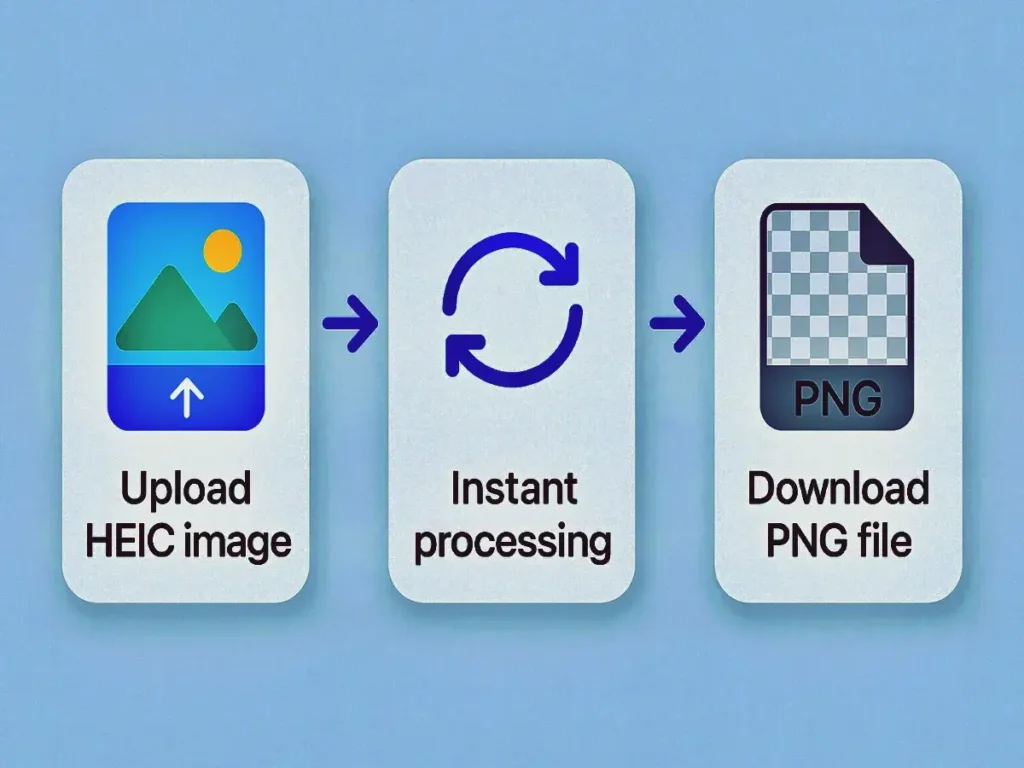
Using an HEIC to PNG Converter is simple and beginner-friendly. The general steps include:
- Upload your HEIC image files
- The system processes them instantly
- Download high-quality PNG images
- Use the converted files anywhere without compatibility issues
No technical knowledge is required, making the tool accessible to everyone.
Benefits for Different Users
The HEIC to PNG Converter is designed to support a wide range of users:
- Photographers can share images easily across platforms
- Web developers can upload PNG images without CMS limitations
- Designers benefit from transparency and lossless quality
- Students and professionals can open images on any device
- Bloggers and marketers can optimise visuals for websites
SEO and Website Performance Advantages
PNG images produced using an HEIC to PNG Converter help improve website performance and SEO. Search engines prefer images that load correctly and display consistently. PNG files also integrate smoothly with image optimisation tools, resulting in faster page speeds and better user experience.
Why Choose an Online Converter?
An online HEIC to PNG Converter offers flexibility and convenience. You can access it anytime, from anywhere, without installing software. It works across Windows, macOS, Linux, Android, and iOS devices, making it ideal for remote teams and multi-device users.
Quality Preservation and Transparency
One major advantage of PNG is transparency support. A professional HEIC to PNG Converter ensures transparent backgrounds remain intact, making it perfect for logos, icons, and overlays.
Mobile and Desktop Friendly
Whether converting images on a smartphone, tablet, or desktop computer, the HEIC to PNG Converter adapts perfectly to different screen sizes and browsers.
Ideal for Web Apps and CMS Platforms
Many CMS platforms, including WordPress, do not support HEIC uploads by default. Using an HEIC to PNG Converter allows you to upload images effortlessly and avoid plugin conflicts.
Environment and Storage Benefits
PNG images converted from HEIC can be compressed further without losing quality. This helps reduce server storage and bandwidth usage while maintaining visual excellence.
Reliability and Accuracy
A trustworthy HEIC to PNG Converter ensures accurate colour reproduction and proper handling of image data, making it suitable for professional workflows.
Frequently Asked Questions (FAQ)
What is an HEIC to PNG Converter?
An HEIC to PNG Converter is a web-based tool that transforms HEIC images into universally supported PNG files without losing image quality.
Is the tool free to use?
Yes, most online versions of this converter are free and do not require registration.
Does converting HEIC to PNG reduce image quality?
No, a reliable HEIC to PNG Converter uses lossless conversion to preserve original clarity and colours.
Can I convert multiple images at once?
Yes, many tools support batch processing, allowing multiple files to be converted simultaneously.
Is my data safe during conversion?
Absolutely. A secure HEIC to PNG Converter processes files temporarily and deletes them automatically after conversion.
Which devices support this tool?
The HEIC to PNG Converter is compatible with all modern devices and browsers, including Windows, macOS, Android, and iOS.
Conclusion
The HEIC to PNG Converter is an essential web app for anyone working with Apple images in a cross-platform environment. It delivers speed, quality, security, and ease of use, making image conversion effortless. Whether you are a designer, developer, blogger, or everyday user, this tool ensures your images remain accessible and visually perfect.