
Google Discover Image Resizer
Resize your images to the optimal dimensions for Google Discover (1200×628 pixels). Force fits the image to remove all extra white space.
Upload Image
Drag & Drop Your Image
Supports JPG, PNG, GIF, WebP, SVG
Processing your image…
Preview & Resize
Your resized image will appear here
Google Discover Image Resizer: Complete Guide to Optimizing Images for Maximum Discover Visibility
In today’s content-driven digital ecosystem, visual optimisation is no longer optional—it is essential. Google Discover has become one of the most powerful traffic sources for publishers, bloggers, and media websites. Unlike traditional search, Discover is fully visual and highly dependent on image quality, size, and structure. This is where a Google Discover–optimised image resizing tool plays a crucial role in helping content creators meet Google’s strict visual guidelines.
Google Discover prioritises large, high-quality images that enhance user experience and storytelling. Improperly sized images can prevent content from appearing in Discover feeds, regardless of how strong the written content is. A specialised solution ensures your visuals meet technical requirements without compromising quality or performance.
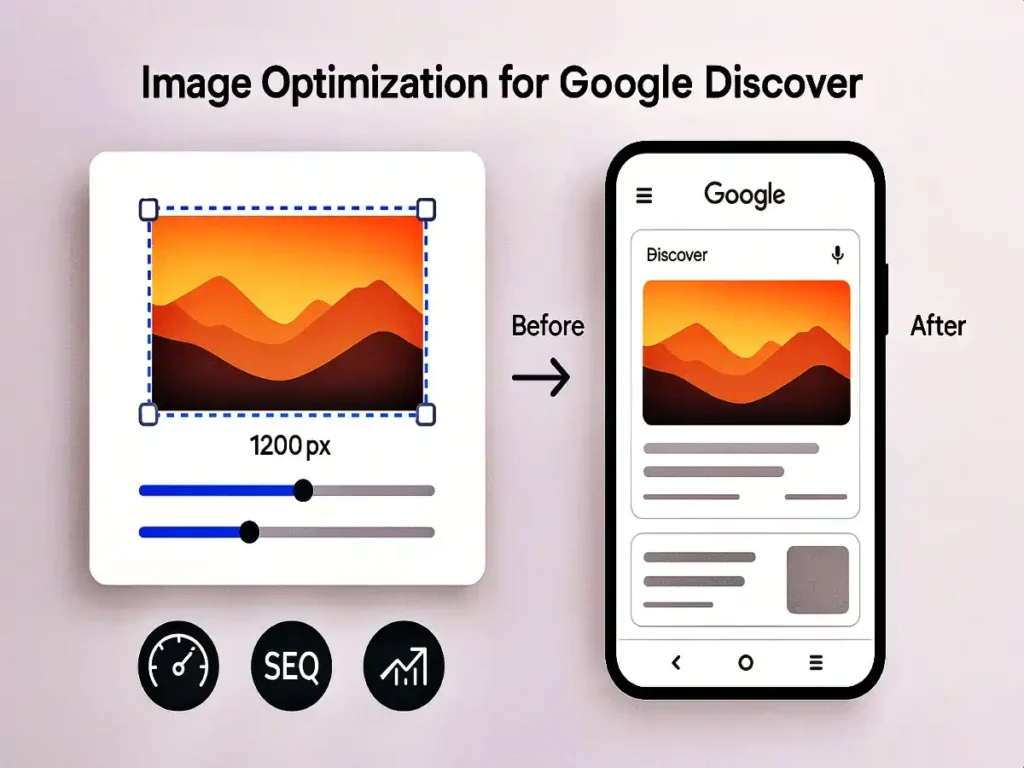
What Is Google Discover Image Resizer?
Google Discover Image Resizer is a web-based image optimisation tool designed specifically to resize, scale, and enhance images for Google Discover eligibility. The tool focuses on meeting Discover’s recommended image dimensions, aspect ratios, and quality thresholds so publishers can maximise visibility.
Unlike generic image tools, this solution is built with Discover guidelines in mind. It ensures images are wide enough, sharp enough, and properly formatted to qualify for enhanced Discover presentation, including large preview cards.
Why Image Optimisation Matters for Google Discover
Google Discover favours images with a minimum width of 1200 pixels, proper aspect ratios, and clean metadata. If your images fail to meet these standards, your content may appear with smaller thumbnails or may not appear at all.
Using Google Discover image resizer helps eliminate these issues by automatically resizing images to Discover-friendly dimensions. This directly improves click-through rate, visual appeal, and overall Discover performance.
High-quality visuals signal credibility, professionalism, and relevance. When combined with strong content, properly optimised images increase the likelihood of being surfaced in Discover feeds.
Key Features of Google Discover Image Resizer
The Google Discover image resizer web app offers a powerful yet simple feature set that caters to both beginners and professionals:
1. Discover-Optimised Dimensions
The tool resizes images to meet Google Discover’s preferred width and aspect ratio requirements, ensuring compatibility across all devices.
2. Quality Preservation
Image clarity is preserved during resizing, preventing pixelation, blur, or compression artefacts that reduce visual impact.
3. Fast Browser-Based Processing
No uploads to third-party servers are required. Images are processed quickly, improving workflow efficiency and privacy.
4. Multi-Format Support
Supports common image formats such as JPG, PNG, and WebP, making it flexible for modern websites.
5. SEO-Friendly Output
Optimised images load faster, improving page speed metrics that indirectly support Discover eligibility.
With this Discover-focused image resizer, publishers can prepare visuals confidently without manual calculations or trial-and-error resizing.
How Google Discover Image Resizer Improves CTR
Click-through rate (CTR) is heavily influenced by visuals in Discover feeds. Large, eye-catching images attract more user attention and encourage engagement.
By using the Google Discover image resizer, creators can consistently produce images that qualify for large preview cards. These previews dominate screen space and outperform smaller thumbnails in terms of user interaction.
Higher CTR not only boosts traffic but also sends positive engagement signals to Google, increasing the chances of recurring Discover visibility.
Who Should Use This Tool?
Google Discover image resizer is ideal for:
- Bloggers targeting viral Discover traffic
- News and media publishers
- SEO professionals and content marketers
- Affiliate marketers
- WordPress and niche site owners
Anyone relying on visual discovery traffic can benefit from consistent image optimisation.
Google Discover Image Guidelines Explained
Google recommends images that are at least 1200px wide and enabled by max-image-preview:large. However, size alone is not enough. Aspect ratio, clarity, and relevance also matter.
Google Discover image resizer simplifies compliance by generating images that align with these guidelines automatically. This minimises the risk of disqualification due to technical errors.
Performance and Page Speed Benefits
Large images can slow down websites if not optimised correctly. The Google Discover image resizer strikes a balance between resolution and file size to ensure fast loading times without compromising visual quality.
Optimised images contribute to better Core Web Vitals scores, which indirectly support Discover performance and user satisfaction.
Ease of Use and Accessibility
One of the strongest advantages of Google Discover Image Resizer is its ease of use. No technical knowledge is required. Users can upload an image, resize it instantly, and download the optimised version in seconds.
This accessibility makes the tool suitable for both beginners and advanced users managing large content pipelines.
Comparison With Generic Image Tools
Generic image resizers are not designed for Discover-specific requirements. They may resize images arbitrarily, resulting in incorrect dimensions or loss of quality.
Google Discover image resizer is purpose-built, making it a smarter choice for publishers focused on Discover visibility rather than basic resizing.
Security and Privacy
Images processed using Google Discover image resizer are handled securely, ensuring privacy and data protection. No image data is stored long-term, making it safe for professional use.
Long-Term SEO Advantages
Consistent image optimisation improves branding, engagement, and trust. Over time, this leads to stronger Discover performance and recurring exposure.
By integrating Google Discover image resizer into your content workflow, you create a scalable system for visual optimisation that supports long-term SEO growth.
FAQs – Google Discover Image Resizer
What is the Google Discover image resizer used for?
Google Discover image resizer is used to resize and optimise images specifically for Google Discover so they meet recommended size, quality, and aspect ratio guidelines.
Does image size really affect Google Discover visibility?
Yes. Google Discover prefers large, high-quality images. Using Google Discover image resizer helps ensure images qualify for large preview cards and better visibility.
Is Google Discover image resizer free to use?
Most versions of Google Discover image resizers are web-based and free, making them accessible for bloggers, marketers, and publishers.
Which image formats are supported?
Google Discover image resizer typically supports JPG, PNG, and WebP formats, providing flexibility for various website needs.
Can this tool improve click-through rate?
Yes. Properly resized images created with Google Discover image resizer attract more attention in Discover feeds, leading to higher CTR.
Is Google Discover Image Resizer safe and secure?
Yes. Google Discover image resizer processes images securely and does not store them permanently, ensuring user privacy and data safety.
Final Thoughts
Google Discover continues to evolve, but one thing remains constant: image quality matters. A single poorly sized image can limit content reach, while a perfectly optimised visual can unlock massive traffic potential.
Using Google Discover image resizer gives publishers a competitive edge by ensuring every image meets Discover’s expectations. It simplifies technical optimisation, enhances visual appeal, and increases the likelihood of appearing in Discover feeds consistently.