
Compress JPG Image
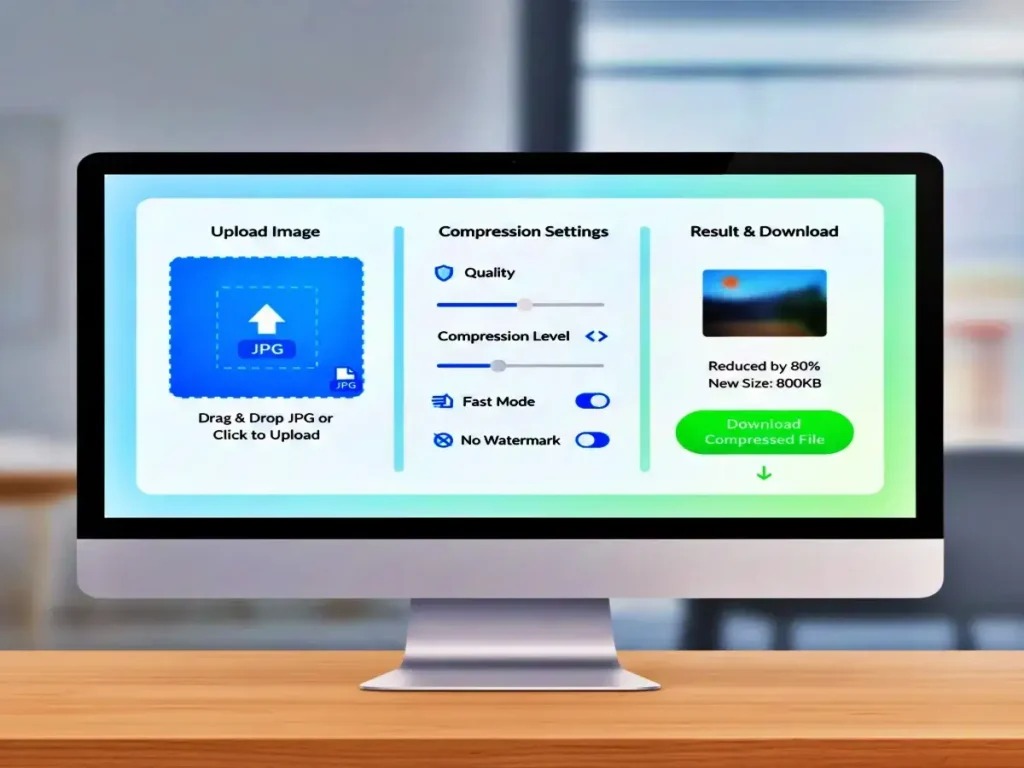
Reduce file size of a single JPG image while maintaining visual quality. Upload one image and adjust compression level.
Drag & Drop Image
or click to browse for a JPG file
Supports JPG, JPEG, JFIF, PJPEG, PJP formats
⚙️ Compression Settings
Compression Results
ℹ️ How It Works
Upload Image
Drag & drop or click to upload a single JPG image.
Adjust Quality
Use the slider to set compression level. Higher quality = larger file, lower quality = smaller file.
Compress Image
Click “Compress Image” to process. All compression happens locally in your browser.
Download Result
Download your compressed image with the original filename preserved.
Privacy Note: All image processing happens locally in your browser. No files are uploaded to any server, ensuring complete privacy and security.
JPG Image Compression: The Complete Guide to Quick and Lossless JPG Compression
In today’s digital-first world, image optimisation is no longer optional. Large image files slow down websites, hurt SEO rankings, and frustrate users, especially on mobile devices. This is where a powerful web app to compress JPG images becomes essential. Whether you are a blogger, developer, marketer, or casual user, reducing JPG file size without sacrificing quality can dramatically improve performance and user experience.
This comprehensive guide explains everything you need to know about how a modern Compress JPG Image web app works, why it matters for SEO, and how to use it effectively in 2026 and beyond.
What Does JPG Compression Mean?
To compress a JPG Image means reducing the file size of a JPG image while keeping its visual quality intact. JPG (or JPEG) is a lossy image format that allows compression by removing unnecessary data that the human eye can barely notice.
Modern image compression algorithms analyze color patterns, pixel similarity, and metadata to deliver smaller file sizes with minimal visible change. A reliable JPG compression tool balances size reduction and clarity, ensuring images stay sharp while loading faster.
Why Image Compression Is Critical in 2026
Website performance standards are higher than ever. Google’s Core Web Vitals prioritise speed, visual stability, and responsiveness. Unoptimized images remain one of the biggest reasons websites load slowly.
Using a reliable solution to compress JPG images helps you:
- Improve page loading speed
- Reduce server bandwidth usage
- Enhance mobile user experience
- Increase SEO rankings
- Boost Google Discover visibility
Search engines favour fast websites, and optimised images play a major role in achieving that speed.
How the Compress JPG Image Web App Works
A modern Compress JPG Image web app uses advanced client-side or server-side techniques to process images securely and efficiently. Here’s how it typically works:
- Upload your JPG image from your device
- The system analyses image data and removes redundant information
- Smart algorithms reduce file size while preserving clarity
- The optimised image is instantly ready for download
The best part? No technical knowledge is required. Anyone can reduce image size in just a few clicks.
Key Features of a High-Quality JPG Compression Tool
Not all image compressors are created equal. A professional Compress JPG Image web app should include:
🔹 Lossless & Smart Compression
Reduces file size without noticeable quality loss.
🔹 One-Click Optimisation
Upload, compress, and download in seconds.
🔹 Secure Processing
Images are processed safely and deleted automatically.
🔹 No Installation Required
Works directly in your browser on any device.
🔹 Mobile-Friendly Design
Fully responsive for smartphones and tablets.
These features ensure the Compress JPG Image process is smooth, reliable, and accessible.
Benefits of Using Image Compression for SEO
Image optimisation directly impacts search rankings. When you Compress JPG Image, you help search engines crawl and index your site more efficiently.
SEO Advantages:
- Faster page speed
- Reduced bounce rate
- Better user engagement
- Improved Core Web Vitals
- Higher Google Discover eligibility
A well-optimised image strategy gives your content a strong competitive edge.
Compress JPG Image for Bloggers and Content Creators
Bloggers often upload dozens of images per post. Uncompressed photos can slow down hosting servers and negatively affect performance. By using a Compress JPG Image tool before uploading, bloggers can:
- Maintain image clarity
- Improve blog loading speed
- Reduce hosting costs
- Increase reader retention
For content creators, quick image optimisation ensures a smoother publishing workflow.
Compress JPG Image for E-Commerce Websites
Product images are essential for conversions, but large files can hurt performance. Online stores rely on efficient image size reduction to:
- Load product pages faster
- Improve mobile shopping experience
- Increase conversion rates
- Reduce cart abandonment
Optimised visuals lead directly to better sales outcomes.
Is Compress JPG Image Safe to Use?
Yes, a trusted Compress JPG Image web app is completely safe. Reputable tools:
- Do not store images permanently
- Use encrypted connections
- Process files automatically
- Avoid watermarking or forced branding
Always choose a tool that prioritises privacy and transparency.
Can You Compress a JPG Image Without Quality Loss?
Absolutely. Thanks to modern compression algorithms, it is possible to Compress JPG Image with no visible difference. While some data is technically removed, the human eye cannot detect the change.
Lossless or smart compression ensures photos remain crisp, colourful, and professional even after optimisation.
When Should You Optimise JPG Images?
You should Compress JPG Image in situations such as:
- Before uploading images to a website
- Before sharing files via email
- When optimising images for SEO
- While preparing content for Google Discover
- To reduce storage and bandwidth usage
Consistent image optimisation improves overall digital performance.
Compress JPG Image for Mobile Performance
Mobile users now account for most web traffic. Slow-loading images can quickly ruin the experience. A fast Compress JPG Image web app ensures:
- Faster loading on slow networks
- Lower mobile data usage
- Better mobile SEO scores
- Higher engagement rates
Mobile optimisation is no longer optional—it’s essential.
Future of JPG Image Compression Technology
In 2026, image optimisation continues to evolve with AI-driven technology. Future tools to compress JPG images will automatically detect the ideal compression level based on device type, screen size, and usage intent.
This means better quality, faster processing, and smarter optimisation for everyone.
Frequently Asked Questions (FAQs)
How can I reduce the size of a JPG image online?
The easiest method is to use a browser-based image compression tool that offers fast processing, preserves image quality, and does not add watermarks.
Will compressing a JPG affect its quality?
High-quality compression tools are designed to shrink file size while keeping the image visually unchanged to the human eye.
Is it free to compress JPG images?
Yes, many online platforms allow JPG image compression at no cost and without requiring user registration.
Can JPG images be optimised on mobile devices?
Absolutely. Most modern image compression web apps are fully responsive and function smoothly on both smartphones and tablets.
Is JPG image compression beneficial for SEO?
Yes. Smaller image files improve page speed, enhance Core Web Vitals, and contribute positively to search engine rankings.
How much can a JPG file size be reduced?
Compression results differ based on image content, yet reductions of 40%–80% are commonly achieved while maintaining visual clarity.
Final Thoughts
A dependable JPG image compression web app is a must-have tool for anyone working online in 2026. From improving website speed and SEO to enhancing user experience across devices, image optimisation offers clear and measurable advantages.
By regularly optimising JPG images with a smart compression solution, you can build faster websites, keep users engaged, and strengthen search visibility while maintaining excellent image quality.